
Did you know, Google Maps Ads can help local businesses drive foot traffic, calls, and website visits?
Google Maps Ads help businesses promote their locations and services directly inside Google Maps, where nearby customers are already searching, comparing, and planning their visit.
Google says advertising on Maps can help increase online visibility and drive foot traffic, phone calls, and website visits. It also supports ad formats like Promoted Pins, Map Search Ads, Map Suggest Ads, and Placesheet Ads.
At Advaita Ads, we help local businesses use Google Maps and Google Business Profile advertising with proper location setup, campaign selection, profile optimization, local targeting, call tracking, direction click tracking, and performance improvement.























What You Can Use PPC For
Drive Offline Visits
Capture Direct Calls
Boost Maps Navigation
Expand Local Radius
Drive High-Intent Nearby Customers Straight to Your Storefront
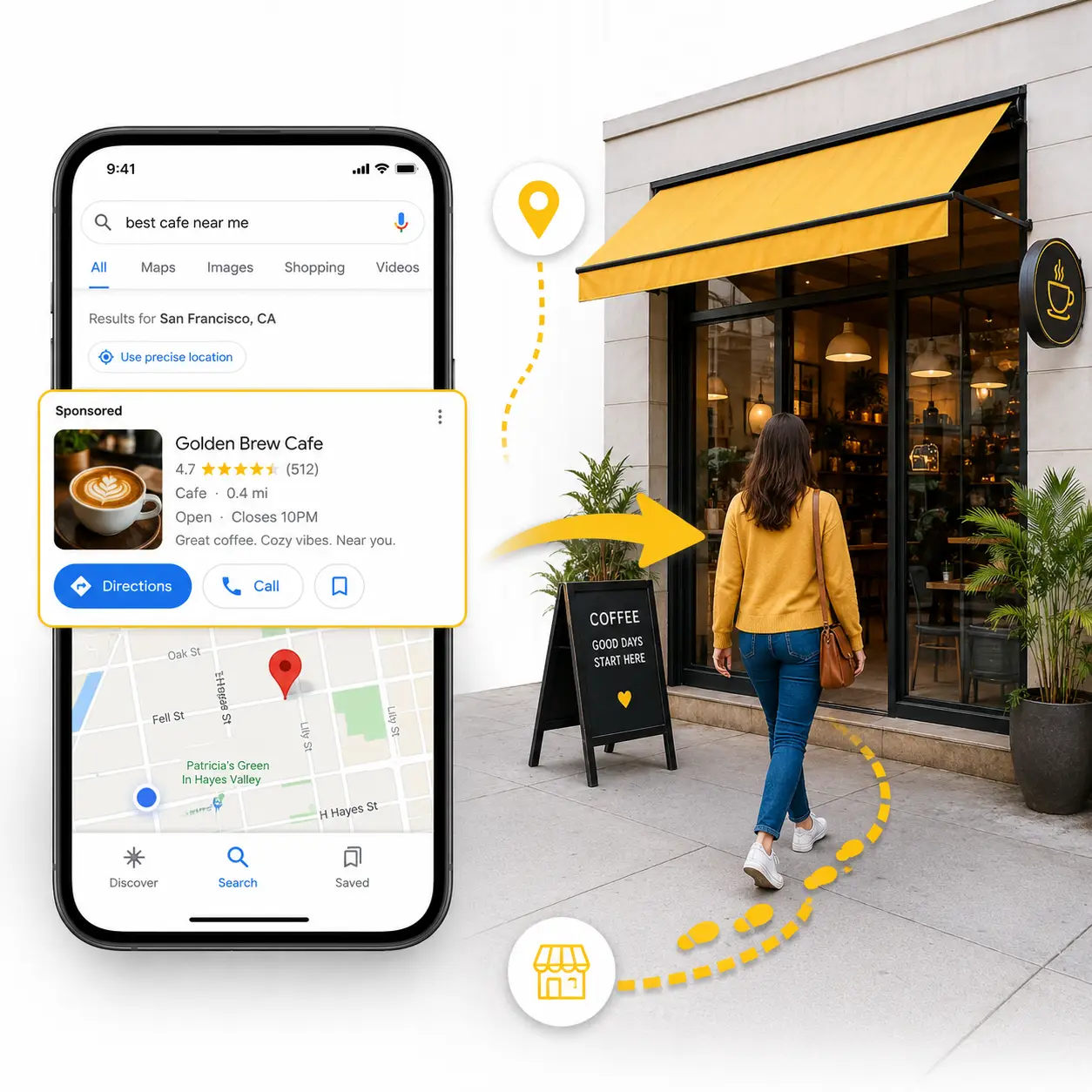
Google Performance Max for Local Goals showcases your business on Google Maps, Google Search, YouTube, and Gmail to users in your immediate geographic area. Featuring your location, operational hours, and promoted pins drives physical foot traffic directly into your store or showroom.
Advaita links your Google Business Profile (GBP) with Google Ads to enable Promoted Pins and local search ad formats. We optimize radius-based bidding parameters around high-performing zip codes to increase physical store visits cost-effectively.
Capture Immediate Local Customer Calls for Service Businesses
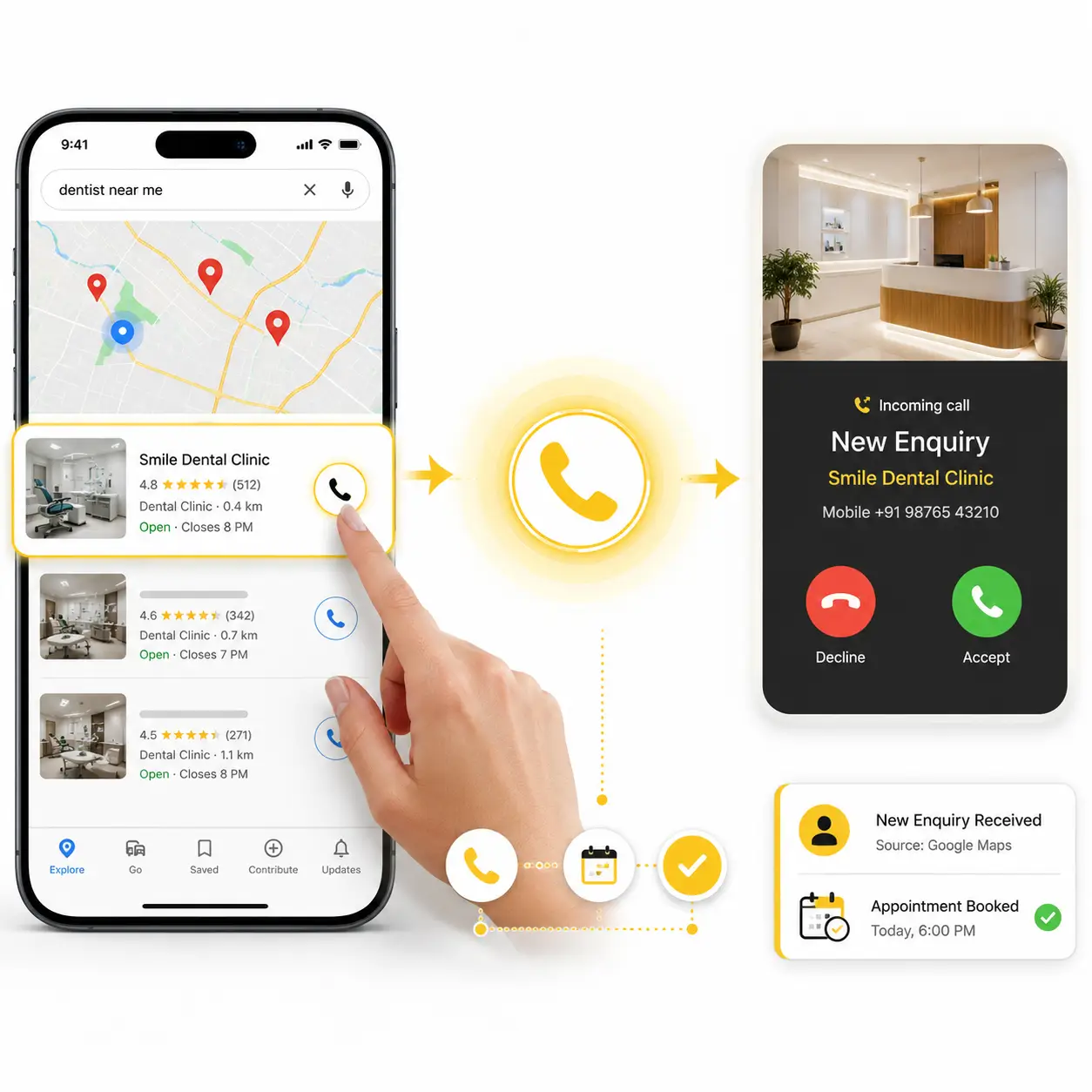
Local Call-Only campaigns and call extensions feature prominent phone numbers on Google Maps and Search results for mobile users. Customers needing immediate local services—such as clinics, legal help, or home repair—can call your team with a single tap.
Advaita configures call tracking metrics, precise operational hour scheduling, and location extension targeting. This guarantees your team answers incoming calls during operating hours, maximizing lead-to-booking conversion rates.
Guide Nearby Buyers Straight to Your Physical Business Location
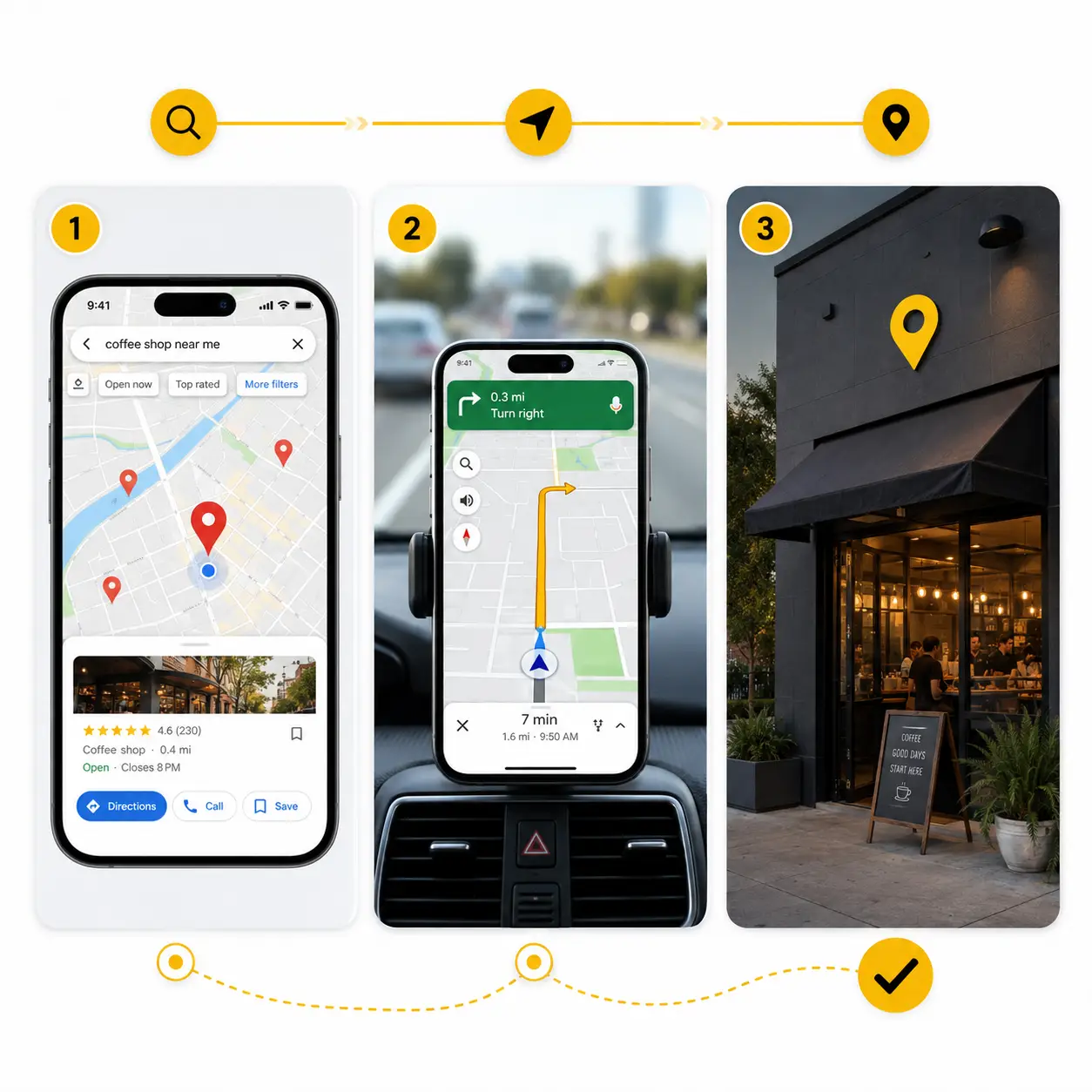
When users look for nearby solutions using Google Maps, prominent Promoted Pins highlight your location above competitors. Capturing local intent as customers plan their routes drives direct store navigation and immediate visits.
Advaita optimizes your business listing metadata, primary category tags, and local ad extensions. Highlighting store amenities, high star ratings, and real-time inventory guides driving traffic away from local competitors to your doorstep.
Dominate Local Search Visibility Across Your Target Service Radius
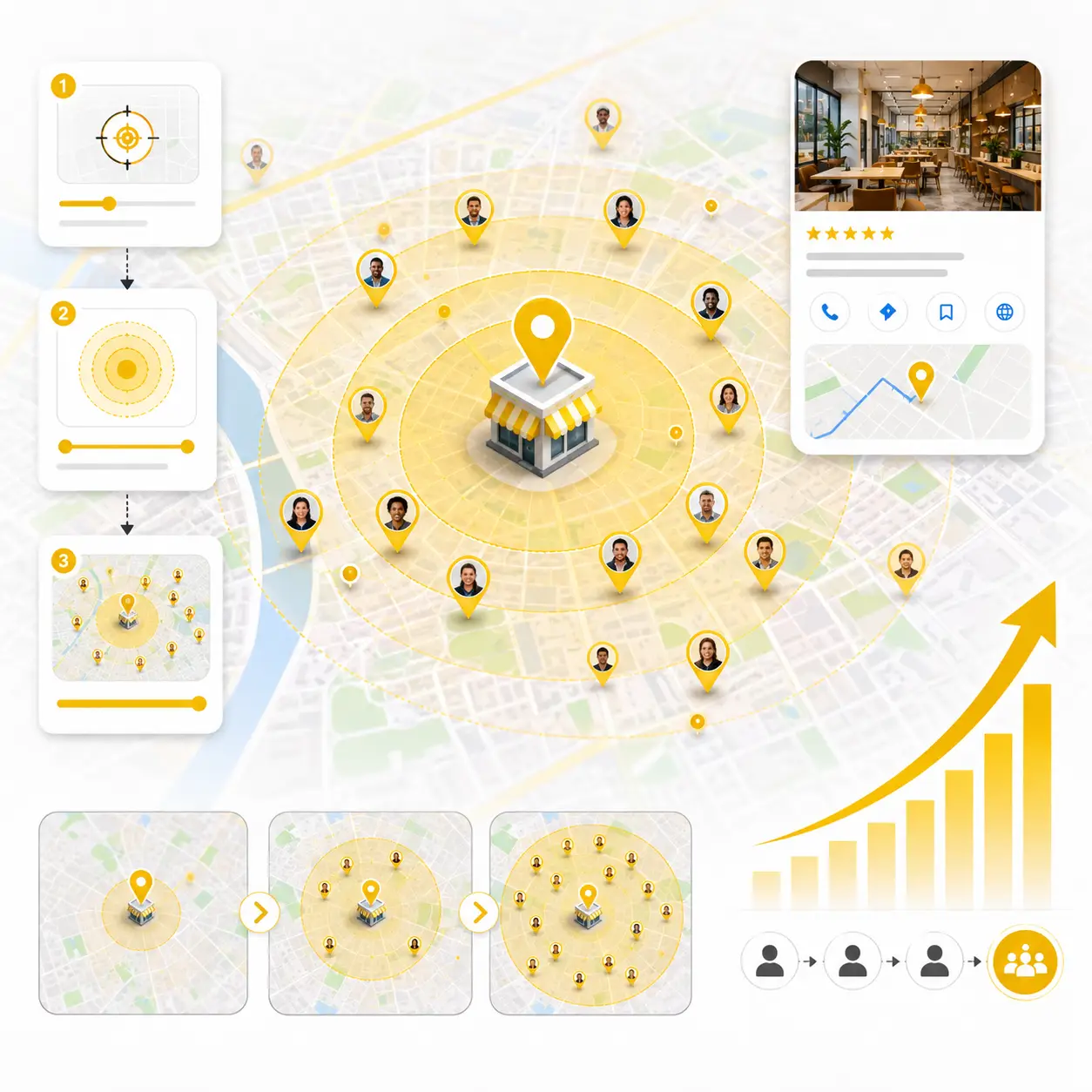
For businesses operating within specific delivery or service territories, geo-targeted Google Local ads ensure your brand dominates local search results across all target pin codes and surrounding neighborhoods.
Advaita constructs granular geo-fenced bidding radiuses adjusted for local population density and competitor presence. We continuously tune geographic bid adjustments to maintain top local ad placement without wasting spend on out-of-coverage areas
Our Google Maps & GMB Framework
Business Location Setup
We first check your business location, service area, contact details, working hours, website link, and Google Business Profile status.
For Google Maps ads, Google says businesses need to provide business location, use an eligible campaign, and meet Google Ads policy standards.
Campaign Type Selection
We choose the right campaign type based on your business goal.
This may include Search campaigns, Performance Max for store goals, Smart campaigns, Shopping campaigns, Demand Gen, Display campaigns, or Travel campaigns depending on the Maps ad format and business use case.
Google Business Profile Linking
We connect or check your Google Business Profile with Google Ads.
For Promoted Pins, Google says the Google Business Profile should be linked to the Google Ads account.
Local Targeting & Creative Planning
Your ads and landing experience go hand-in-hand. We audit or create landing pages that maintain message continuity, reduce bounce, and improve conversion rates.
Location Assets Setup
We enable location assets so your ads can show with useful local business details.
Google says Map Search Ads need location assets linked in Google Ads.
Performance Review & Optimization
We review calls, website visits, direction clicks, local enquiries, location visibility, campaign status, search terms, and competition.
Then we improve location setup, profile details, campaign targeting, keywords, offers, and follow-up process to generate better local advertising results.
Google Maps & GMB Advertising FAQs
1.What are Google Maps Ads?
Google Maps Ads help businesses promote their locations, products, and services directly within the Google Maps experience.
2. What are Google Maps & GMB Ads useful for?
Google Maps and Google Business Profile Ads are useful for increasing local visibility, phone calls, website visits, direction clicks, walk-ins, and nearby customer enquiries.
3. Who should use Google Maps Ads?
Hospitals, clinics, restaurants, hotels, retail stores, showrooms, service centres, real estate offices, local consultants, and service-based businesses can use Google Maps Ads.
4.How do Google Maps Ads help local businesses?
Google Maps Ads help businesses reach customers who are near their physical location or service area and actively searching for nearby products or services.
5. What are Promoted Pins?
Promoted Pins are highlighted business pins shown directly on Google Maps to help an advertised location stand out from standard map listings.
6. What are Map Search Ads?
Map Search Ads can appear prominently in Google Maps search results when users search for nearby businesses, products, or services.
7. What are Map Suggest Ads?
Map Suggest Ads can appear as promoted autocomplete suggestions when users type a search inside the Google Maps mobile app.
8. What are Placesheet Ads?
Placesheet Ads can appear on business detail pages within Google Maps and may support actions such as bookings, offers, or related business discovery.
9. Can Google Maps Ads increase phone calls?
Yes. Google Maps Ads can generate phone calls by displaying business contact information to nearby customers searching for relevant services.
10. Can Google Maps Ads increase website visits?
Yes. Customers can click through from a Maps ad or Google Business Profile to visit the business website and learn more about its products or services.
11. What is remarketing in GDN Ads?
Remarketing means showing advertisements again to people who previously visited your website, used your app, or interacted with your business.
12. Is a Google Business Profile required for Google Maps Ads?
A verified and properly linked Google Business Profile is generally required for location-based ad features such as Promoted Pins and other local placements.
13. What are location assets in Google Ads?
Location assets allow advertisements to display important business details such as the address, map location, phone number, directions, and other local actions.
14. Are location assets required for Map Search Ads?
Yes. Location assets should be linked and correctly configured in Google Ads for eligible Map Search Ads and local placements.
15. Can advertisements run only on Google Maps?
No. Businesses generally cannot restrict eligible campaigns to Google Maps alone because the campaign may also appear across other Google advertising surfaces.
16. Which campaign types can support Google Maps Ads?
Depending on the format and objective, Google Maps placements may be supported through Search, Performance Max for store goals, Smart, Shopping, Demand Gen, Display, or Travel campaigns.
17. Why am I not seeing my Google Maps ad?
Possible reasons include incorrect location setup, an unverified Google Business Profile, inactive campaign status, unsuitable targeting, low search relevance, map zoom level,budget limitations, or auction competition.
18. What should be optimised before running Google Maps Ads?
The Google Business Profile, address, phone number, business categories, services, photos, working hours, website link, verification status, and location assets should be reviewed before launching campaigns.
19. How is Google Maps Ads performance measured?
Performance can be measured through phone calls, website visits, direction clicks, local enquiries, Google Business Profile actions, store visits, and recorded campaign conversions.
20. Why choose Advaita Ads for Google Maps & GMB Advertising?
Advaita Ads helps businesses with Google Business Profile setup, location assets, local audience targeting, campaign selection, call tracking, direction-click tracking, reporting, and ongoing local advertising optimisation.
Other Services

Meta Marketing
Using the Advanced Blurb Module brings endless design possibilities to show your information elegantly.

E-Commerce Marketing
Using the Advanced Blurb Module brings endless design possibilities to show your information elegantly.

Google Marketing
Using the Advanced Blurb Module brings endless design possibilities to show your information elegantly.